Wallpaper Editor
The Wallpaper Editor changes home-screen wallpaper assets, which use separate foreground and background bundles.
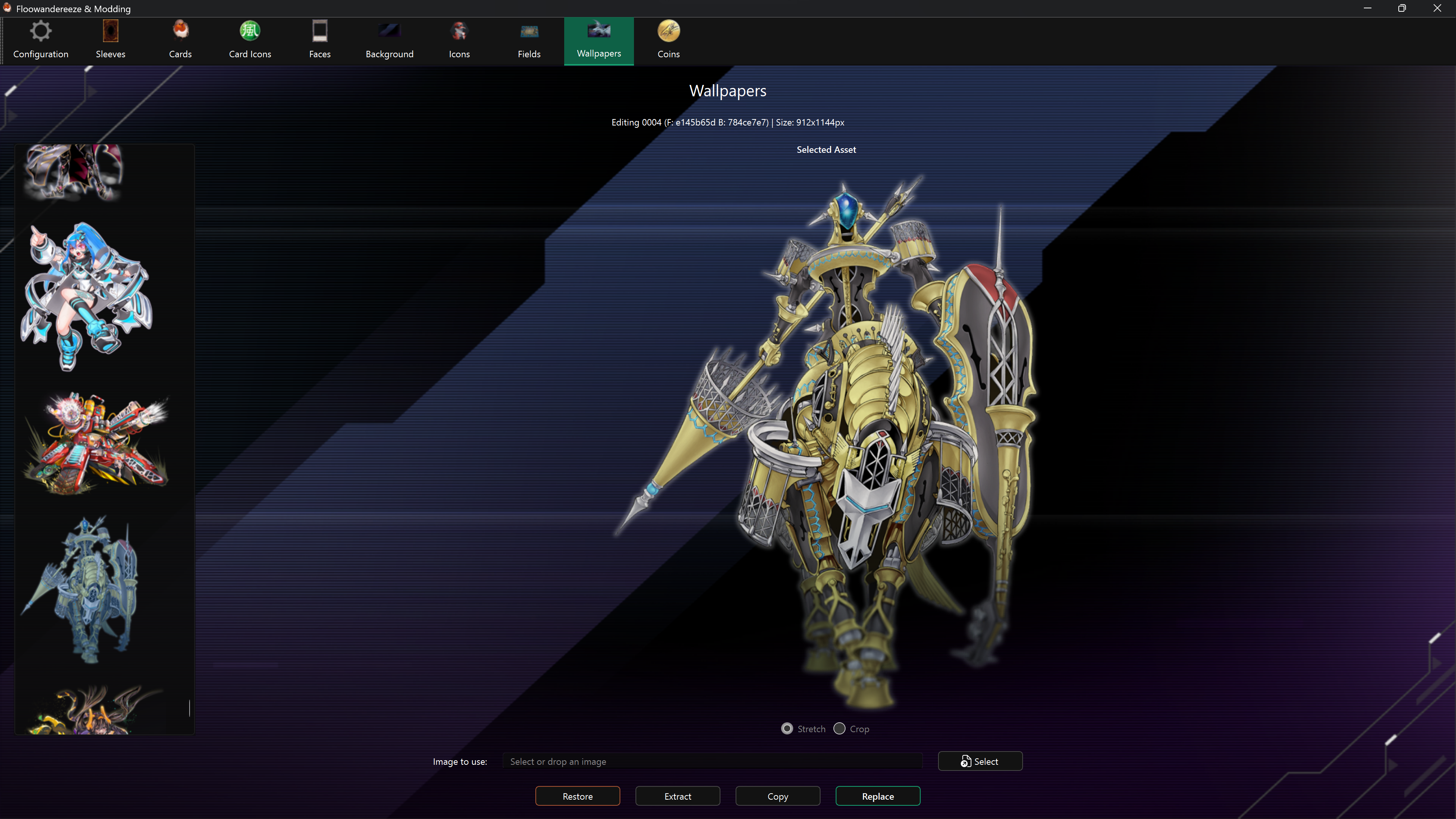
The scrollable wallpaper selector stays 240 logical pixels wide on the left, with complete thumbnails. The selected artwork uses the remaining width without squeezing the list, including when the window is maximized.
Replace a wallpaper
- Select a wallpaper from the list.
- Choose a PNG or JPEG with Select, or drag it onto the page.
- Choose Replace.
The source is scaled down to fit the existing foreground canvas without changing its aspect ratio, placed at the canvas origin, and written over transparency. The background layer is replaced with a transparent image.
For predictable placement, prepare the source at the same dimensions shown for the selected foreground and put any intended transparent padding into the source image itself.
Extract, copy, and restore
- Extract saves both foreground and background textures under
images\wallpapers. - Copy saves both Unity bundles under
bundles\wallpapers. - Restore rebuilds the wallpaper using the backed-up foreground image and the editor's normal transparent-background behavior.
Enable backups before the first replacement if you want Restore to work.
Limitations
Some wallpapers contain more than two visual layers or separate effects such as sparks. The editor changes the main foreground, removes the designated background layer, and leaves extra layers and effects untouched. Those untouched elements may remain visible over a replacement.