Card Face Editor
The Card Face Editor changes the frame/face textures that surround card artwork.
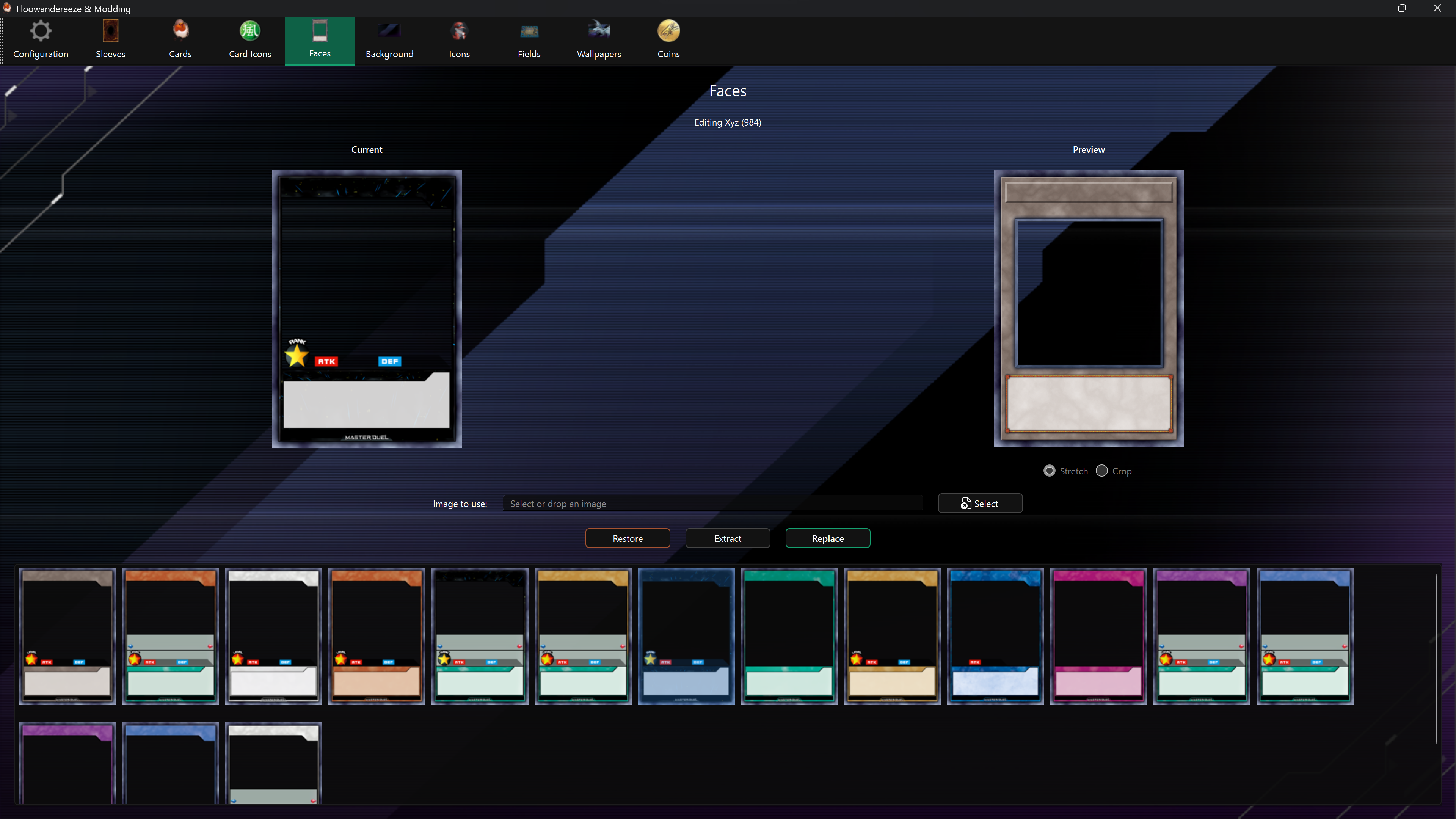
Replace a face
- Select a face from the list.
- Choose a portrait PNG or JPEG with Select, or drag it onto the page.
- Compare Current and Preview.
- Choose Replace.
Use the extracted original as a template when alignment and transparent regions matter.
Extract and restore
- Extract saves the selected texture under
images\faceswith a filesystem-safe version of its name. - Restore writes the automatic backup back to the selected face.
Enable backups before the first replacement if you want Restore to work.
Important limitation
Card faces are stored inside masterduel_Data\data.unity3d. A game update or another mod that replaces that file can remove face changes and other edits stored in the same file.