Card Sleeve Editor
The Card Sleeve Editor replaces sleeve textures and can add an optional colored border.
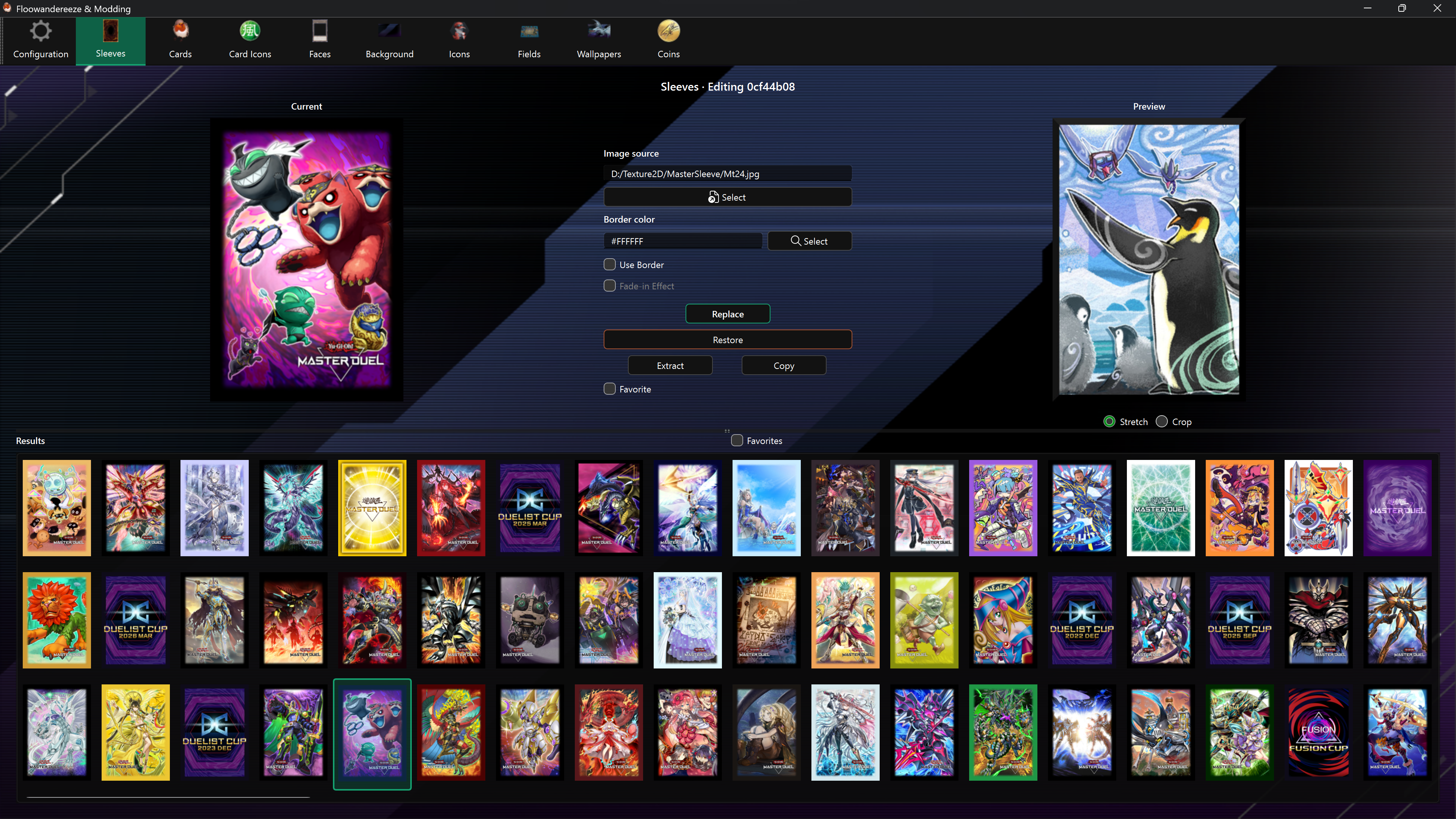
Find an asset
Results show asset names. Hover over a shortened label to see its full name. The selected asset's name also appears above the editor. Assets without a translated name retain their code.
Type at least three characters in the search bar, then press Enter, click Search, or choose a completion suggestion. Search matches part of the name without case sensitivity. Clear the search bar to show all results again.
Favorites shows all favorites independently of the search; turning it off restores the last executed search.
After updating the app, use Check in Configuration to download the new names, then restart the app. Favorites and backups are preserved.
Replace a sleeve
- Select a sleeve from Results.
- Choose a portrait PNG or JPEG with Select, or drag it onto the page.
- Optionally configure the border.
- Choose Replace.
Match the portrait aspect ratio shown by the current sleeve to avoid stretching.
Add a border
- Choose the border color with the color Select button.
- Enable Use Border.
- Optionally enable Fade-in Effect for a softer transition into the artwork.
The preview shows the border color but does not fully render the fade. The complete effect is generated during replacement. Disabling Use Border also disables the fade.
Other actions
- Favorite marks the selected sleeve; Favorites filters the results.
- Extract saves the texture under
images\sleeves. - Copy saves the complete Unity bundle under
bundles\sleeves. - Restore writes the automatic backup back to the selected sleeve.
Enable backups before the first replacement if you want Restore to work.