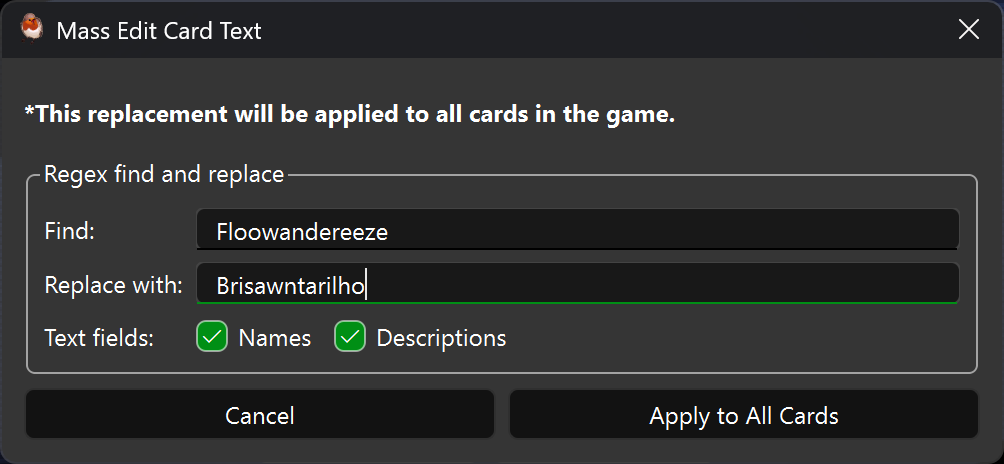
Regex mass editing
Open Mass Edit on the Cards page. Choose All cards, Selected cards, Search results, or Favorites. All scopes use the current TCG/OCG region. Use Ctrl-click or Shift-click in the card list to select multiple cards before opening the dialog. Search results uses the last executed search currently displayed in the list; it is empty when no search is displayed or the favorites filter is active. Favorites includes every favorite, regardless of the search.
Enter a Python regular expression and replacement text (capture references such
as \1 are supported), then choose names, descriptions, or both. Empty
replacement text deletes matches. Existing text edits are the starting text.
Click Preview Changes to see the number of affected cards and replacements.
Choose an affected card to inspect its full before/after text and line differences.
The Differences block highlights removed lines in red and added lines in green,
with subtle matching backgrounds. Diff headers are blue and bold; newline notes
are muted and italic. Colors adapt to light and dark themes. The - and +
prefixes remain visible so changes can also be identified without color.
Identical replacements do not count as changes. Previewing does not write game files. Apply Changes is enabled only after a preview with actual changes; changing any input or scope requires another preview. Applying writes only the chosen cards. Wait for the operation to finish before closing the app.